
WooCommerce 結帳頁面的訂單審查部分顯示了產品名稱、數量和費用,但沒有產品圖像,產品圖像對於識別/區分相似產品或產品變體非常有用。
這個簡單的代碼段將説明你在訂單審查頁面中展示產品的特色圖片。
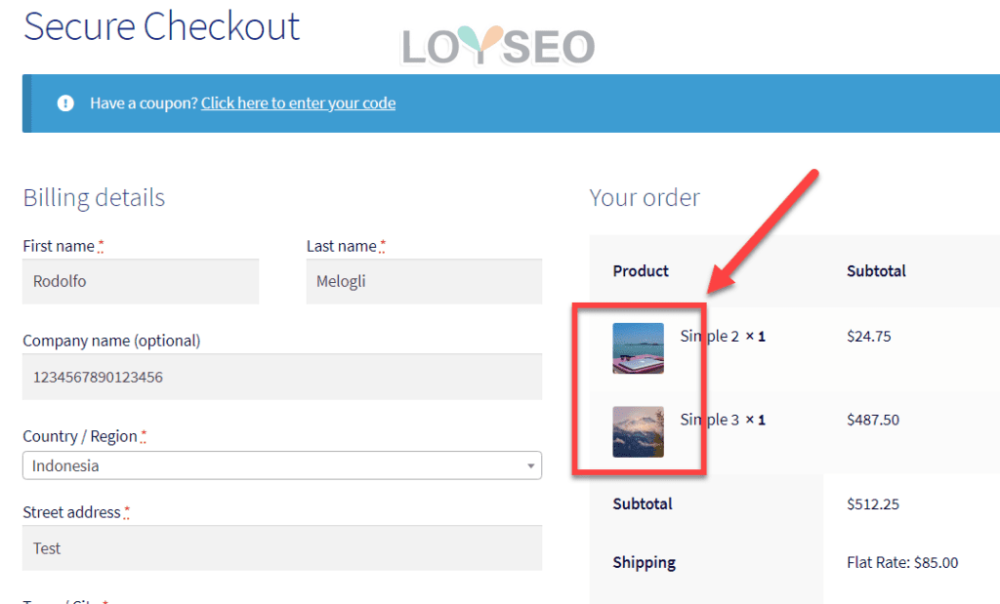
通過添加下面的PHP代碼段,您可以在結帳頁面中的產品名稱快速顯示產品特色圖片
PHP代碼段:添加產品特色圖片到woocommerce的結帳頁面的訂單審核表中
請注意,下面的片段將生成一個尺寸為50*50像素的縮略圖(請隨意改變陣列()內的尺寸),並將其向左對齊(移除包含class的array則可以避免左對齊)。
/**
* @snippet       Product Images @ Woo Checkout
*/

add_filter( 'woocommerce_cart_item_name', 'bbloomer_product_image_review_order_checkout', 9999, 3 );

function bbloomer_product_image_review_order_checkout( $name, $cart_item, $cart_item_key ) {

if ( ! is_checkout() ) return $name;

$product = $cart_item['data'];

$thumbnail = $product->get_image( array( '50', '50' ), array( 'class' => 'alignleft' ) );

return $thumbnail . $name;

}